Turn the smile your patient just approved into a brief your lab can build from.
Most smile apps stop at the wow moment. Smileproof turns the simulation your patient just approved into a clinic-branded PDF the lab can actually work from, in a few minutes, without you typing a word.
Your lab is designing blind.
A blurry phone photo. A shade written on a form. A prescription that says “make it natural.” Then two weeks later: the try-in doesn’t match what the patient imagined, the case bounces back, and everyone loses a remake cycle.
The information existed: it was in the room during the consultation. It just never made it to the bench.
The consultation, translated into lab language.
Every Smileproof simulation can become a design brief that shows (not describes) what the patient said yes to:
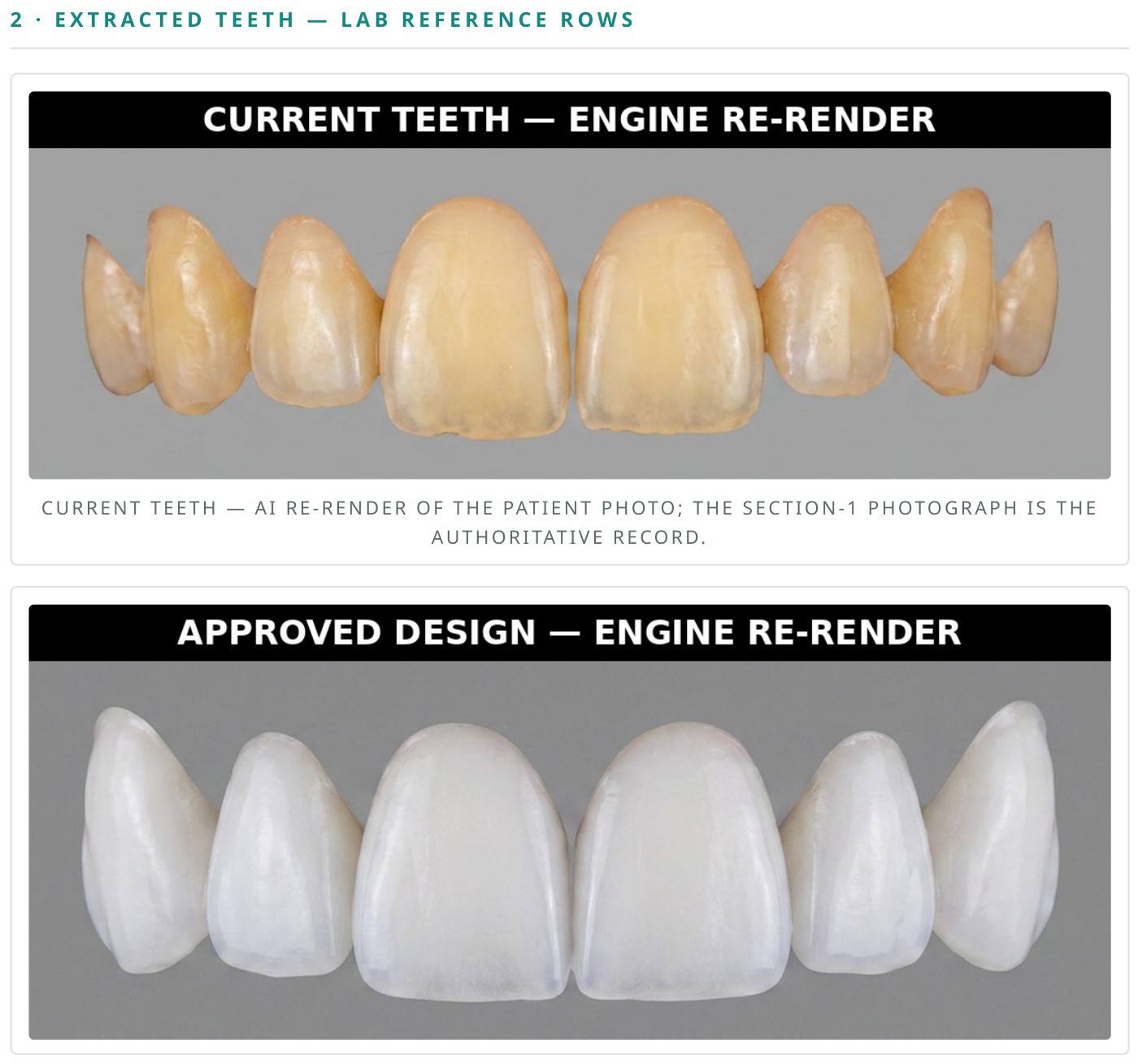
The patient’s real teeth, rendered like a bench photo
The current dentition re-drawn as a clean, lab-style tooth row, with crowding, wear, gaps and character carried over from the photo. Every row is automatically checked against the photograph before it ships; if a render doesn't match, the report shows the real photo instead. This is the section dentists show their friends.
The approved design, in the same format
The exact simulation the patient accepted, rendered as the matching row: upper and lower arches when the photo allows it.
Before and after, full face and close-up
Aligned mouth crops so the lab sees the smile in its frame: lips, gum line, midline.
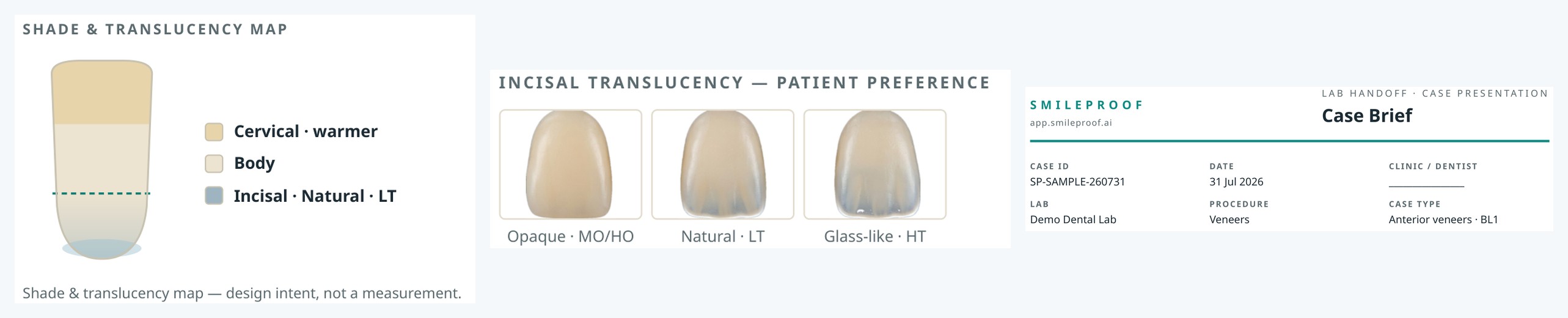
Shade on a photoreal ladder
A tooth-shaped shade bar with the target ringed, not a code floating in a text field.
Translucency the lab can order from
The patient’s incisal preference labelled with IPS e.max ingot codes: Opaque (MO/HO), Natural (LT), Glass-like (HT); plus stump shade (ND1–ND9, recorded by the dentist after prep) and material when you choose to add them.
Your clinic on every page
Your logo, your clinic name, your lab’s name on the case, in bilingual English / Arabic.
Deliberately no measurements.
Smileproof reports never print tooth measurements. No lengths, no widths, no ratios presented as clinical values. The final geometry always comes from your impression or scan. The report communicates aesthetic intent: shapes, proportions, shade, translucency, character.
That’s a deliberate line. It keeps the report a communication document (one your lab reads for direction and your patient keeps as a reference), not a prescription that creates liability for anyone.
How it works
Simulate
Run the case chairside: veneers, full makeover, implant or full arch.
Confirm the details
One small dialog: lab name, and optionally stump shade, material, and your own incisor-length note. Everything optional.
Send
A few minutes later you have a branded A4 PDF: share it to the lab and hand it to the patient in the same tap.
The lab works from it. The patient keeps it.
For the lab
Shade, translucency, arch-by-arch design intent in the format technicians actually think in. Designed to reduce back-and-forth with the lab.
For the patient
A take-home version of the smile they said yes to, with your clinic’s name on it. Cases survive the drive home. The “let me think about it” patient is holding the reason to come back.
Included in your plan.
Lab reports are included in every plan. 5 with the 50 credit pack, 10 with 150 credits, and 15 every month on Pro. No per-case invoice standing between you and using it on every accepted case.
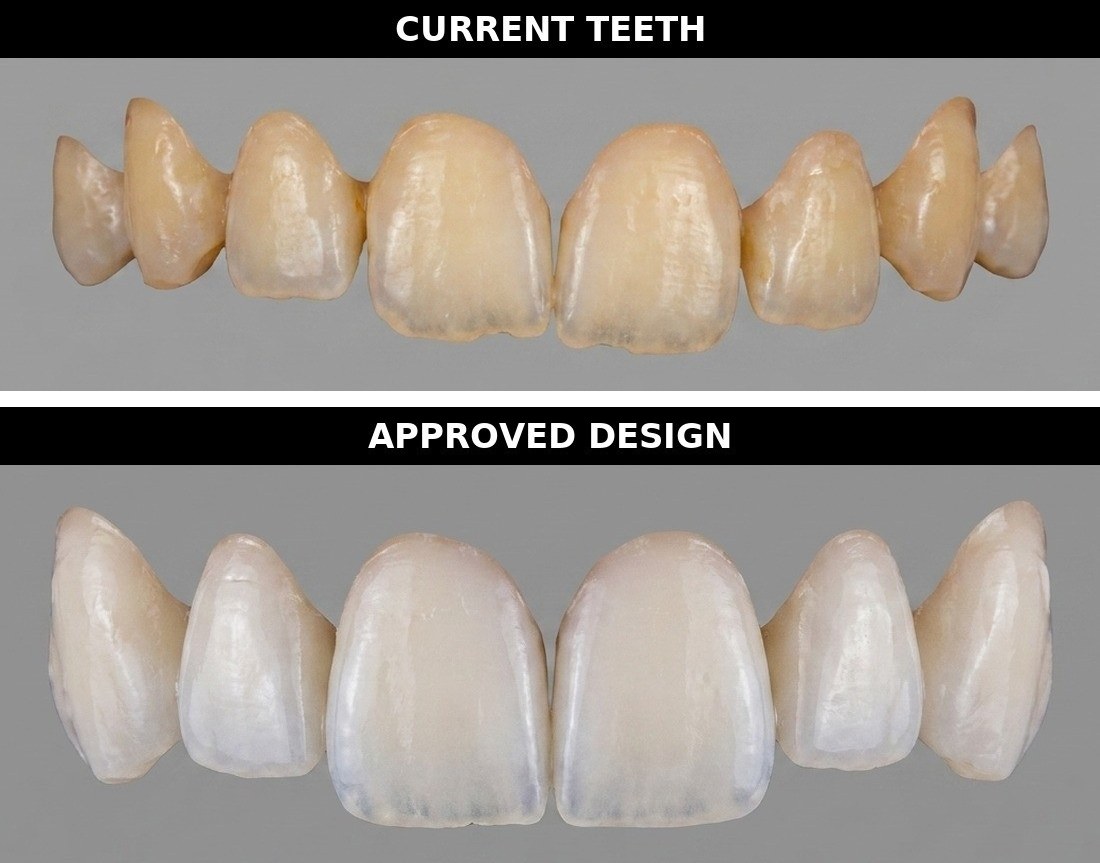
The patient's current teeth and the approved design, extracted onto a neutral field. An engine re-render for visual shape and shade reference; final geometry comes from the impression or scan.
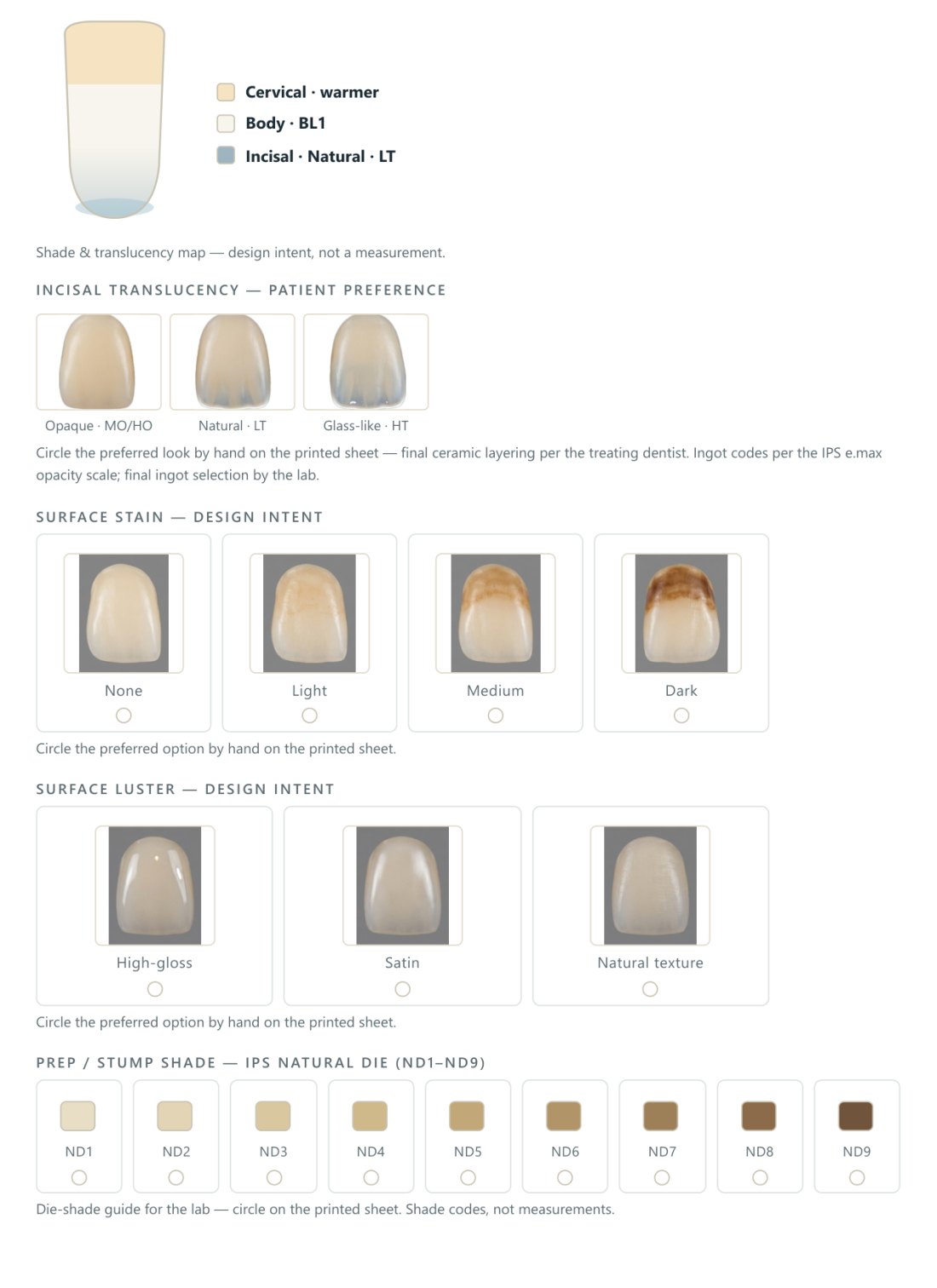
Shade, translucency, surface stain, luster, character and tooth mould: every choice labelled as design intent, never as a measurement. The dentist circles anything the app did not set.
Questions
Is this a clinical document?
No. It’s a visual design reference. It carries a disclaimer on every export, prints no clinical measurements, and final geometry always comes from your impression or scan.
Can I send it straight to my lab?
Yes, it’s a standard PDF. Share it over WhatsApp or email like any case file. Your lab’s name is printed on the case header.
Does the lab need Smileproof?
No. The lab just reads the PDF. Only the clinic needs a subscription.
What cases can generate a report?
Veneers, full makeover (Hollywood), implant and full-arch cases. Whitening and bonding previews don’t generate lab reports; there’s no lab hand-off for those.
Is it available in Arabic?
Yes, fully bilingual, right-to-left included, same document.
How real is the “current teeth” row?
It’s re-rendered by the engine from the patient’s photo, faithful to the crowding, wear and gaps the photo shows, and labelled an illustrative engine re-render (not a scan, not the literal photo), so the lab always knows render vs. real.
See your own case as a lab brief.
Book a 20-minute demo: bring one patient photo, leave with the report it generates.
Book a demo